
How to Speed Read on a Screen
Studies show that the average person only retains about 20% of what they see on a screen. If you're looking to boost that retention and absorb information more efficiently, you might consider adopting some strategic techniques. From reformatting text to using visual aids, there are various methods that can greatly enhance your experience. But what if you could not only improve comprehension but also enjoy the process? Let's explore how to make that happen.
Reformatting Text for Clarity

How can you make online text easier to read? Start by reformatting pages to enhance clarity. Copy and paste that cluttered text into a word processor. This gives you better control over formatting and makes it easier to comprehend. Adjust the font size and style consistently—this can truly reduce visual strain, as active reading enhances reading speed and retention. You'll find it much more comfortable to read.
Next, increase line spacing. This little tweak can remarkably improve your visual comfort, helping you focus on individual lines without feeling overwhelmed. Removing distracting images and hyperlinks can also create a cleaner layout, facilitating a smoother reading experience.
Make use of the highlight feature to mark important sections, but remember to clear the highlighted area after you're done. This keeps your document tidy and prevents it from becoming cluttered again.
Lastly, consider printing the reformatted text. This allows you to utilize traditional reading techniques, which can boost comprehension and retention. By taking these steps, you'll find that not only is the text easier to read, but you're also more engaged and focused. Embrace these strategies, and you'll speed read like a pro in no time!
Utilizing Pacers Effectively
Using pacers can seriously boost your reading speed and comprehension on screens. Whether you choose to use your finger, a cursor, or even highlight text, these visual guides help you stay focused and track your progress effectively. By incorporating digital highlighting techniques, you not only enhance your ability to retain information but also keep your eyes moving smoothly across the text.
Visual Guides for Reading
Visual pacers are essential tools that can greatly enhance your reading experience on screens. By using your finger or a card to guide your eyes, you can maintain focus and prevent regression while reading. One effective method is the highlighting technique, where you highlight key points in digital documents. This not only emphasizes important information but also helps track your progress seamlessly.
Consider utilizing automatic scroll features to improve your reading flow. This allows you to read continuously without stopping to move the text, making it easier to keep your visual pacer in sync. Another helpful method is line-by-line scrolling, which keeps the current line at the top of your screen, reducing distractions and creating a smoother experience.
Don't forget to engage your body parts while reading. Tapping your finger or using a stylus can keep you alert and reinforce the effectiveness of your visual pacers. By incorporating these techniques, you'll find that your reading speed and comprehension on screens can improve greatly. So, grab a pacer and get ready to enhance your reading journey!
Digital Highlighting Techniques
Effective digital highlighting techniques can transform your reading experience by keeping you focused and engaged. When you use a word processing tool to highlight key passages, you're creating a visual pacer that helps your eyes stay on track. Simply click and drag your cursor over the text to emphasize what's crucial. This not only enhances your focus but boosts your reading speed and retention.
After you finish a highlighted section, it's a good idea to clear those highlights. Clutter can distract you, making it harder to absorb what you've read. To further protect your work, consider using Read Only mode in your word processing application. This way, you won't accidentally delete anything while you're in the zone.
Regularly practicing digital highlighting will train your eyes to hone in on essential information quickly. You'll find that your comprehension improves as you learn to identify key points faster. So, embrace these techniques and watch your reading transform. By incorporating digital highlighting into your routine, you'll not just read more efficiently but also enjoy the process more deeply. Happy reading!
Highlighting Techniques for Focus

Highlighting key points in your text can greatly enhance your focus while reading on a screen. When you utilize the highlighting features in word processing tools, you can emphasize important information, making it easier to understand and remember. To make the most of highlighting, simply click and drag your cursor to select the text that stands out. This technique helps guide your eyes, allowing for a smoother reading flow and improved reading speed.
Once you've highlighted the key points, be sure to clear these sections after you finish each part. This prevents clutter and keeps your text clear, which is essential for maintaining focus. If you're worried about losing the original content, consider using Read Only mode. This protects against accidental deletions, keeping everything intact for future reference.
Don't forget the Undo feature! It's a lifesaver if you make any unintended changes during the highlighting process. By regularly using these techniques, you'll not only enhance your comprehension but also create a more enjoyable reading experience. So, grab your text, and start highlighting to keep your focus sharp!
Strategies for Mouse Navigation
Guiding text on a screen can be seamless if you use the right mouse strategies. Start by using your mouse scroll wheel or touchpad gestures to navigate through text smoothly. This way, you can enjoy continuous reading without clicking repeatedly on the screen. If you want a hands-free experience, try experimenting with automatic scroll settings in your browser or reading software, which lets the document flow at a set speed.
It's also essential to adjust mouse sensitivity to find a comfortable speed that matches your reading pace. This helps you prevent abrupt movements that could disrupt your focus. While reading, consider using the click-and-drag method to select text. This technique serves as a visual guide, keeping your attention on key points.
If you often find yourself scrolling, think about using a secondary monitor. A larger text display allows for easier navigation and less frequent scrolling, boosting your overall reading efficiency. By incorporating these strategies, you'll enhance your online reading experience, making it more enjoyable and productive. So, give these techniques a try and watch your reading flow!
Speed Reading Techniques

To boost your speed reading skills, you can start by skimming for key ideas, which helps you pick out important information quickly. Using a visual pacer, like your finger or cursor, keeps your eyes moving smoothly and focused on the text. Finally, chunking text into groups of words instead of reading each word individually can greatly enhance your understanding and speed.
Skimming for Key Ideas
When you skim a text, you're not just racing through words; you're honing in on key phrases and main ideas that matter. Skimming is an effective technique that helps you quickly identify essential information without getting bogged down in every single word. By focusing on headings, subheadings, and any bolded text, you can grasp the structure and important points of the material.
Research shows that skimming can boost your reading speed by about 50% while still allowing for good comprehension. To make the most of your skimming practice, try moving your eyes vertically down the page instead of horizontally. This simple shift can enhance your processing speed and help you pick out key phrases more efficiently.
The more you use these skimming techniques, the better your brain will become at recognizing patterns and significant details. You'll find that you're not just reading faster but also understanding more. So, plunge into your next text with confidence, and let skimming guide you to the main ideas that truly matter!
Utilizing Visual Pacers
Skimming helps you identify key ideas, but maintaining focus while reading on a screen can be challenging. One effective way to enhance your reading experience is by utilizing visual pacers. These can be as simple as your finger or a card that guides your eyes across the text. This approach not only improves your focus but also reduces the chances of losing your place.
When reading digital documents, you might also consider highlighting key points. This serves as a visual pacer, emphasizing the most important information and keeping your reading flow steady. Additionally, employing scrolling techniques can make a big difference. The line-by-line scrolling method, for instance, positions the current line at the top of your screen. This prevents regression and encourages continuous reading without distractions.
Regularly practicing with these visual pacers can greatly enhance your reading speed. As you become more accustomed to these techniques, you'll find it easier to process information efficiently on digital platforms. So, give these strategies a try and watch your reading transform into a smoother, more engaging experience!
Chunking Text Effectively
Many readers find that chunking text effectively can greatly boost their speed and comprehension. Instead of reading word by word, try grouping 2-4 words together. This technique reduces the number of eye fixation points and increases the fluidity of your reading. You'll be amazed at how this simple shift can improve your reading speed by up to 50%.
To master chunking, you need to train your brain to recognize patterns and meanings in phrases. Regular reading exercises focused on this technique can make a big difference. Use a text editor to practice by highlighting chunks of text. This will help reinforce the habit and make it easier when you read on screens.
Digital tools and apps designed to highlight text in chunks can also be incredibly helpful. They guide your eyes smoothly across the screen, making reading more enjoyable and efficient. By incorporating chunking into your reading routine, you'll not only speed up your reading but also enhance your understanding of the material. So give it a try—chunking can be your secret weapon for tackling any text with confidence!
Eye Comfort and Environment
To guarantee a comfortable reading experience on screens, it's essential to pay attention to your environment and eye health. Staring at glowing screens for long stretches can lead to significant eye strain, diminishing your reading efficiency. To combat this, adjust your device settings by lowering the brightness and increasing text contrast. This simple tweak can enhance your eye comfort, making your screen reading sessions much more enjoyable.
Lighting conditions play an important role, too. Make sure you have proper ambient light and minimize glare from windows. This helps create a cozy atmosphere that supports your eyes while reading. If you can, consider using e-ink screens, like those on Kindle. They're less harsh on your eyes compared to traditional backlit screens.
Don't forget to take breaks! Every 20 minutes, step away for a moment. These short pauses can prevent eye strain and boost your overall reading stamina. By creating a comfortable environment and being mindful of your eye health, you'll find that screen reading becomes a more pleasant and efficient experience. Your eyes will thank you!
Technology-Assisted Reading Tools
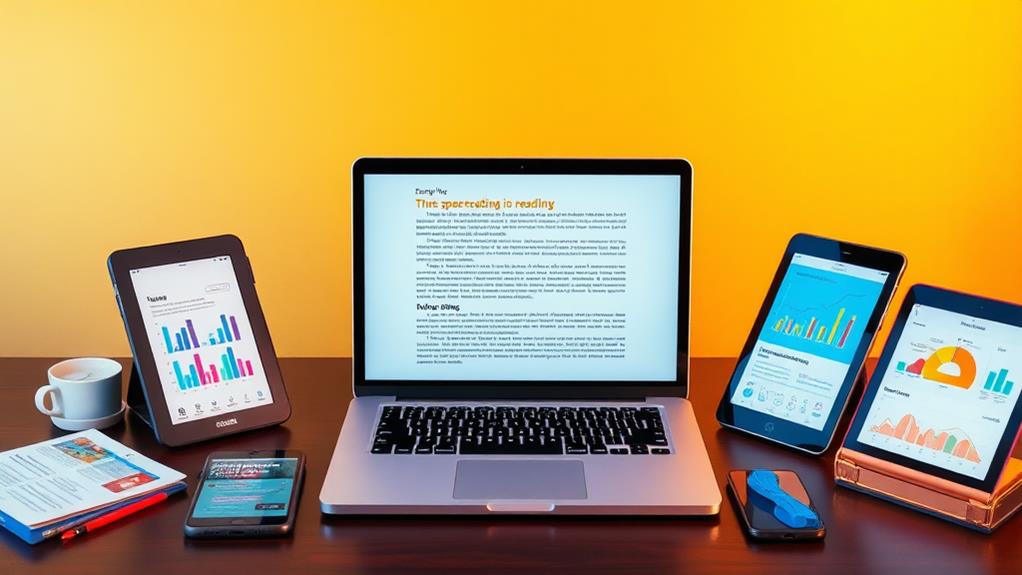
Creating a comfortable reading environment lays the groundwork for enhancing your screen reading experience, but the right technology-assisted tools can take it even further. These tools can help you increase your reading speed and deepen your understanding of the material. For instance, both Windows and Mac operating systems offer built-in speech tools. The Read Aloud feature in Word or the Narrator tool on Windows can read text aloud, making comprehension easier. If you're a Mac user, explore the Speech tool found in Accessibility settings; you can customize the voice and reading speed to fit your preferences.
Specialized software like Natural Reader and Read&Write enrich your experience with features like text highlighting and note-taking. These technology-assisted reading tools greatly reduce cognitive load, allowing you to absorb information quickly and efficiently while maneuvering your computer screen. By incorporating these reading methods for computer into your routine, you can transform your digital reading sessions into powerful learning experiences. Embrace these tools, and you'll find that speed reading on a screen becomes not just achievable, but enjoyable.
Measuring Your Progress
Measuring your progress in speed reading is essential for understanding how much you've improved over time. Tracking your reading speed can be easily done using online tools or apps that measure words read per minute (WPM). Regular assessments of your reading speed and comprehension will help you identify areas that need focus, allowing for targeted practice. This approach not only enhances your skills but also keeps you engaged.
Setting incremental goals is vital. Aim to increase your reading speed by 10 WPM each month. This way, you'll foster continuous growth and motivation. And don't forget to celebrate your milestones! Whether it's reaching a new reading speed benchmark or finishing that challenging book, acknowledging these achievements can keep you inspired.
To effectively measure your progress, use timers during your reading sessions. This will give you concrete data on how long it takes to complete specific texts. By combining these methods, you'll have an extensive view of your progress. Remember, each assessment brings you closer to your goals, making your journey in speed reading both rewarding and exciting. Keep pushing forward, and you'll see just how far you've come!
Frequently Asked Questions
How to Speed Read on Screen?
To speed read effectively, you'll want to use screen techniques like adjusting settings and employing digital tools. Focus techniques, comprehension strategies, and smooth eye movement will enhance your reading experience and keep you engaged.
How Do You Adjust Reading Speed?
Did you know that skimming can boost your reading speed by up to 50%? By practicing techniques, optimizing eye movement, and using digital tools, you'll enhance your comprehension strategies and develop effective practice routines.
How Can I Read Text Faster?
To read text faster, try various reading techniques, like skimming and practicing exercises. Focus on eye movement, employ comprehension strategies, and minimize digital distractions to boost your efficiency and enjoyment while reading.
How Can I Increase My Computer Reading Speed?
To increase your reading speed, refine your screen habits by minimizing digital distractions. Use effective reading techniques like skimming and improve eye movement with comprehension strategies that help you absorb information quickly and efficiently.
